Code Formatter
IntelliJ IDEs allow reformatting the code.
You can find more information about this functionality here: Reformat Code .
This plugin supports multiple formatters for Solidity code.
You need to configure them in the settings.
You can find it in the settings of the IDE at Settings -> Languages & Frameworks -> Solidity.
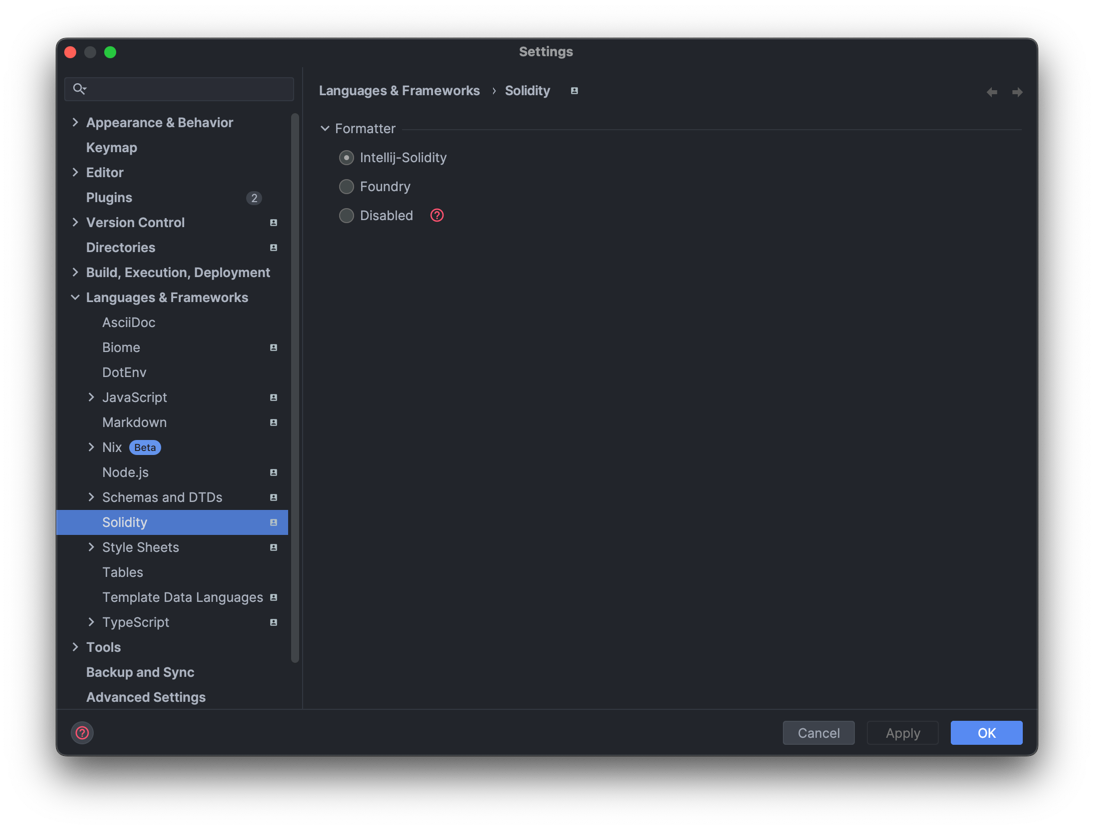
Multiple options are available.
Intellij Solidity formatter
Intellij Solidity formatter is the default formatter built in this plugin.
Foundry
The formatter from the Foundry development framework can be used.
It uses the forge fmt command.
More information about this formatter can be found here .
It’s possible to configure the formatter behavior in the foundry.toml file.
This page describes the available options: Foundry configuration .
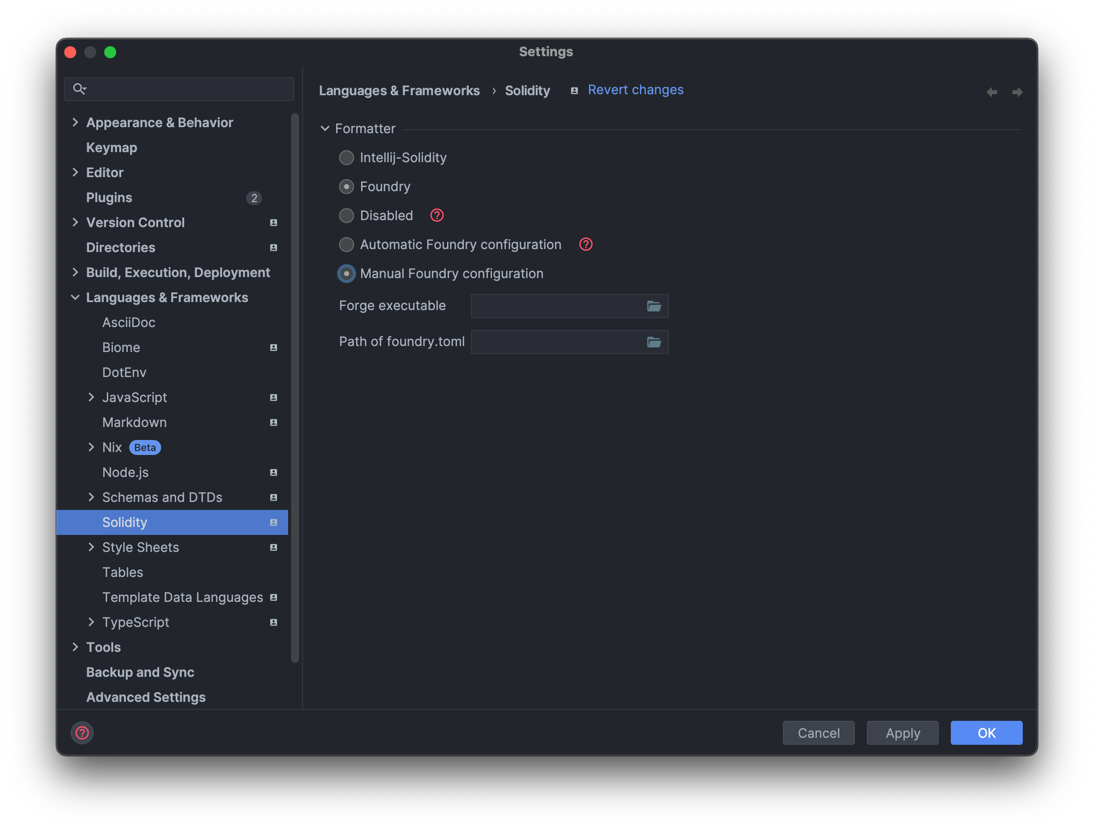
By default, the settings provide an automatic configuration.
This automatic configuration expects the foundry binary to be at $USER/.foundry/bin/forge for
Unix and macOS users, or $USER/.foundry/bin/forge.exe for Windows users.
It also expects the foundry.toml file to be at the root of the project.
If this is not the case, you can configure it manually in the settings by selecting Manual Foundry configuration.
Disabled
The Disabled mode allows the use of other formatters not supported by this plugin.
For example, it can be used with Node.js-based formatters such as Prettier.
You will need to add the plugin
to the dependencies of your project.
Then the configuration will be handled outside this plugin.